Notion Templates
Freelance Client & Project Hub, template for Notion
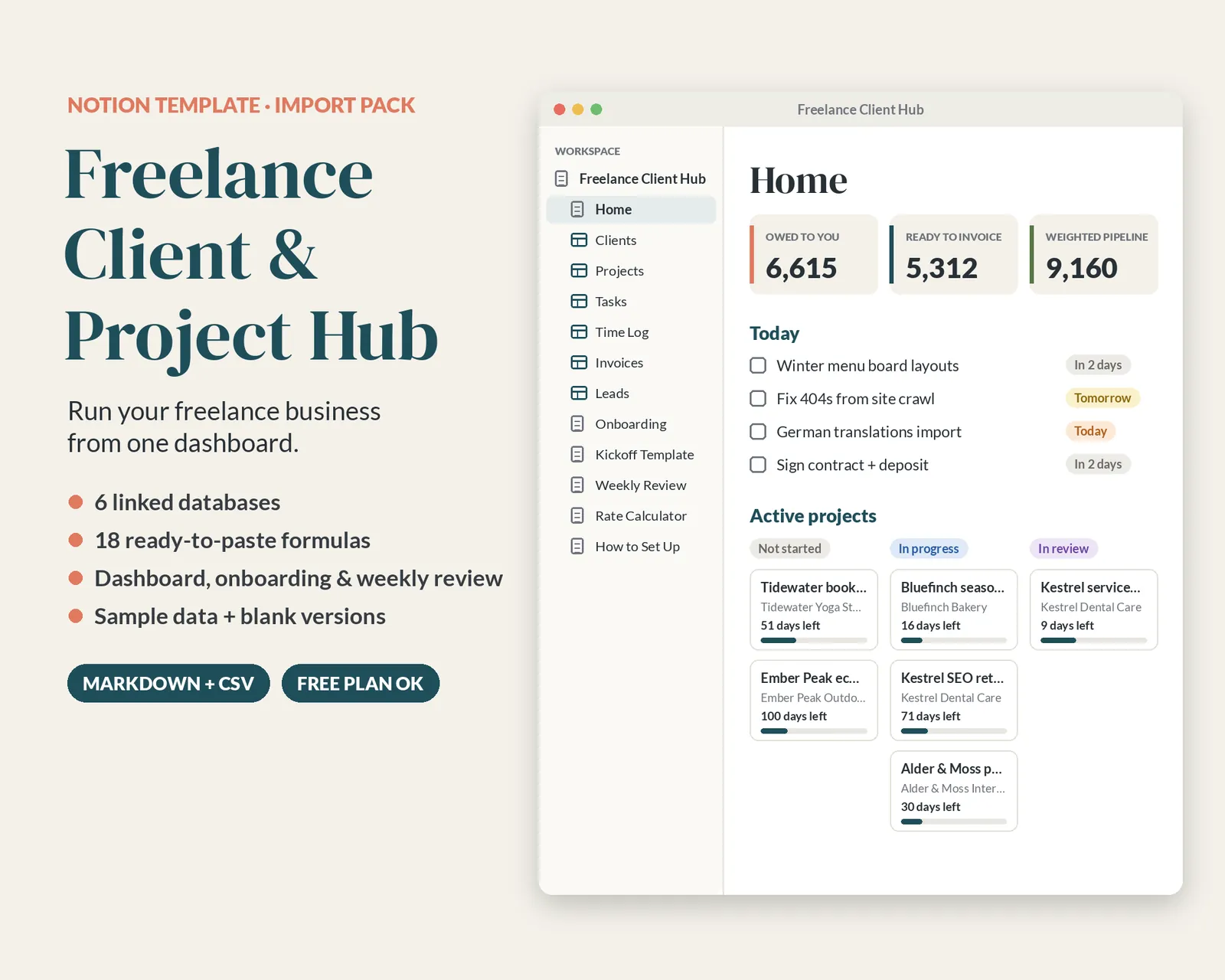
A Notion import pack for freelancers: six linked databases (clients, projects, tasks, time log, invoices, leads) with 18 formulas, a Home dashboard, onboarding, kickoff and weekly-review pages, sample and blank CSVs, and a step-by-step setup guide.
Instant download, no sign-up. Free during launch.
Also available: Notion import pack only (pages + CSV databases) (.zip, 29 KB)
License: Personal & single-business use; see LICENSE.pdf in the download. No resale or redistribution.
Notion is a trademark of Notion Labs, Inc. This template is independent and not affiliated with or endorsed by Notion.
Description
Run your freelance business from one place. This Notion import pack gives you six linked databases for clients, projects, tasks, time, invoices and leads, a Home dashboard, and the routines that keep a one-person business on track.
What's inside
- Clients: status, contact, email, phone, hourly rate, billing type, source, services, payment terms
- Projects: client, status, type, pricing, start, deadline, budget, estimated hours
- Tasks: project, status, priority, due date, tag, estimate
- Time Log: date, project, hours, billable and invoiced
- Invoices: number, client, project, amount, issued, due, paid status, method
- Leads / Pipeline: stage, value, probability, follow-ups, link to the client once won
- 18 formulas to paste in: hours logged, hours left, progress bar, effective hourly rate, deadline countdown, billable amount, overdue flags, payment status, weighted pipeline value
- 17 recommended views: project board, timeline, deadlines calendar, today & overdue, this week's hours, unbilled time, unpaid invoices, pipeline board
- Pages: Home dashboard, Client Onboarding Checklist, Project Kickoff Template, Weekly Review, Rate Calculator Notes, How to Set Up
- 110 rows of linked sample data, plus blank (headers-only) versions of every database
How it works
- Import the pages zip in Notion (Settings › Import › Text & Markdown).
- Import the six CSVs in order: Clients, Projects, Tasks, Time Log, Invoices, Leads.
- Follow the guide to switch on relations, paste the formulas and add the views (about 20–30 minutes).
Good to know
- Import pack, not a "Duplicate" link: you build the hub in your own workspace from the files.
- Works on Notion's free plan, with any currency.
- Digital download only. Nothing is shipped.
- One person or one business per license. Please don't share or resell the files.
- Notion is a trademark of Notion Labs, Inc. This template is independent and not affiliated with or endorsed by Notion.